2 de abril de 2026
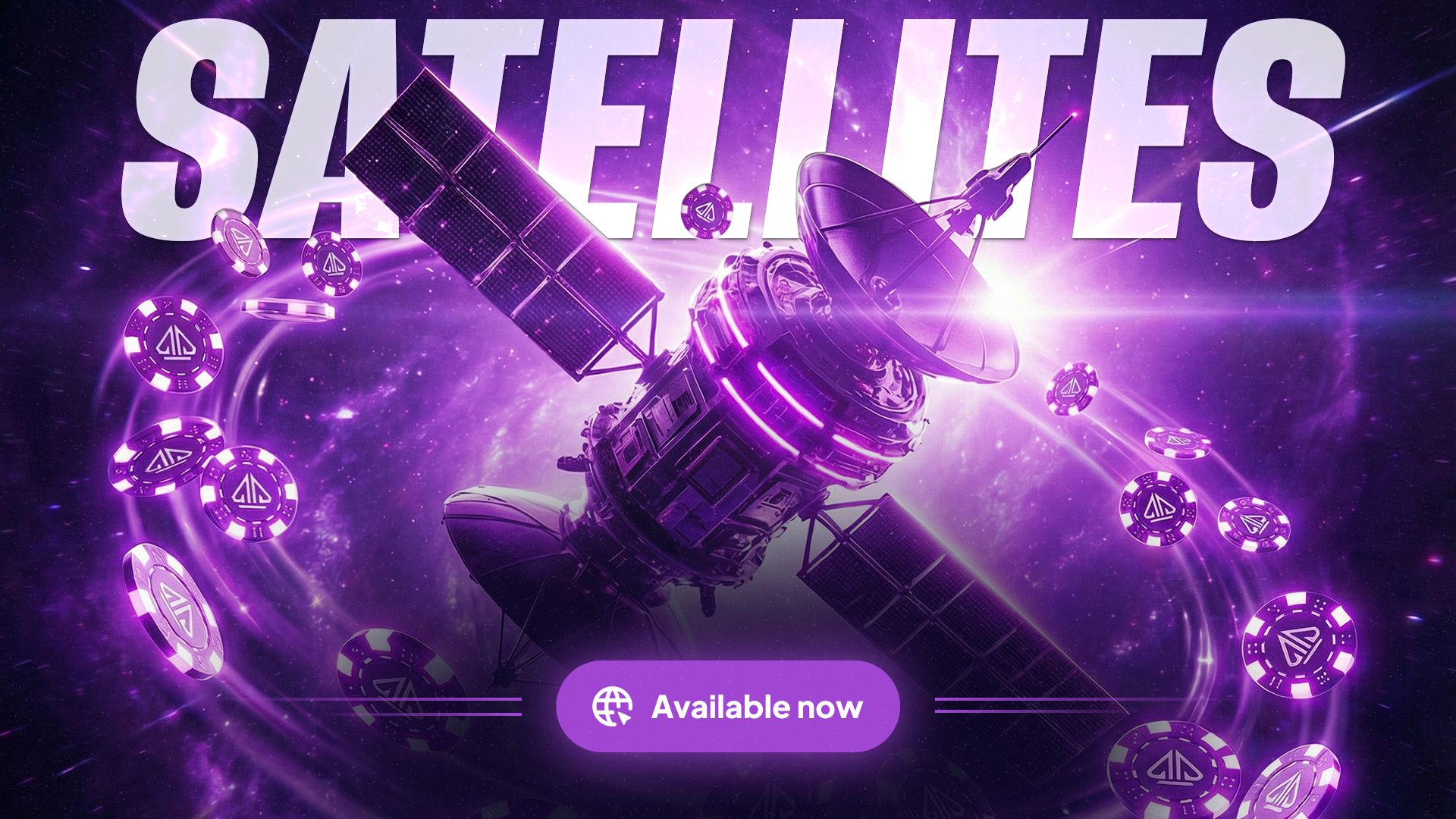
🍍 Open Face Chinese (OFC)
We’re Beta testing Open-Face Chinese Poker. Expect tables to launch in the Chinese section in the coming days! Reduced stakes for the beta launch but we will expand the stakes as soon as possible!
— a strategic set-building game where you arrange 13 cards into three hands (Top, Middle, Bottom) while keeping proper hand strength order.
Build your hands across multiple rounds, compete line-by-line for points, and aim for bonuses like sweeps and royalties. Avoid fouling your hand, and chase Fantasyland for a powerful advantage in future rounds.
Multiple variants are supported, including Pineapple, 2-7 and Progressive. (Jokers will be added in a future release).
For more information, check out our blog post - https://www.phenompoker.com/blog/open-face-chinese-(ofc)-rules
Beta Testing Information:
No Rake will be collected. Play Rake Free!
A variety of small stakes options of each variant will be available.
We expect the beta to run for ~1-2 weeks.
Report any bugs directly to our Help Center -
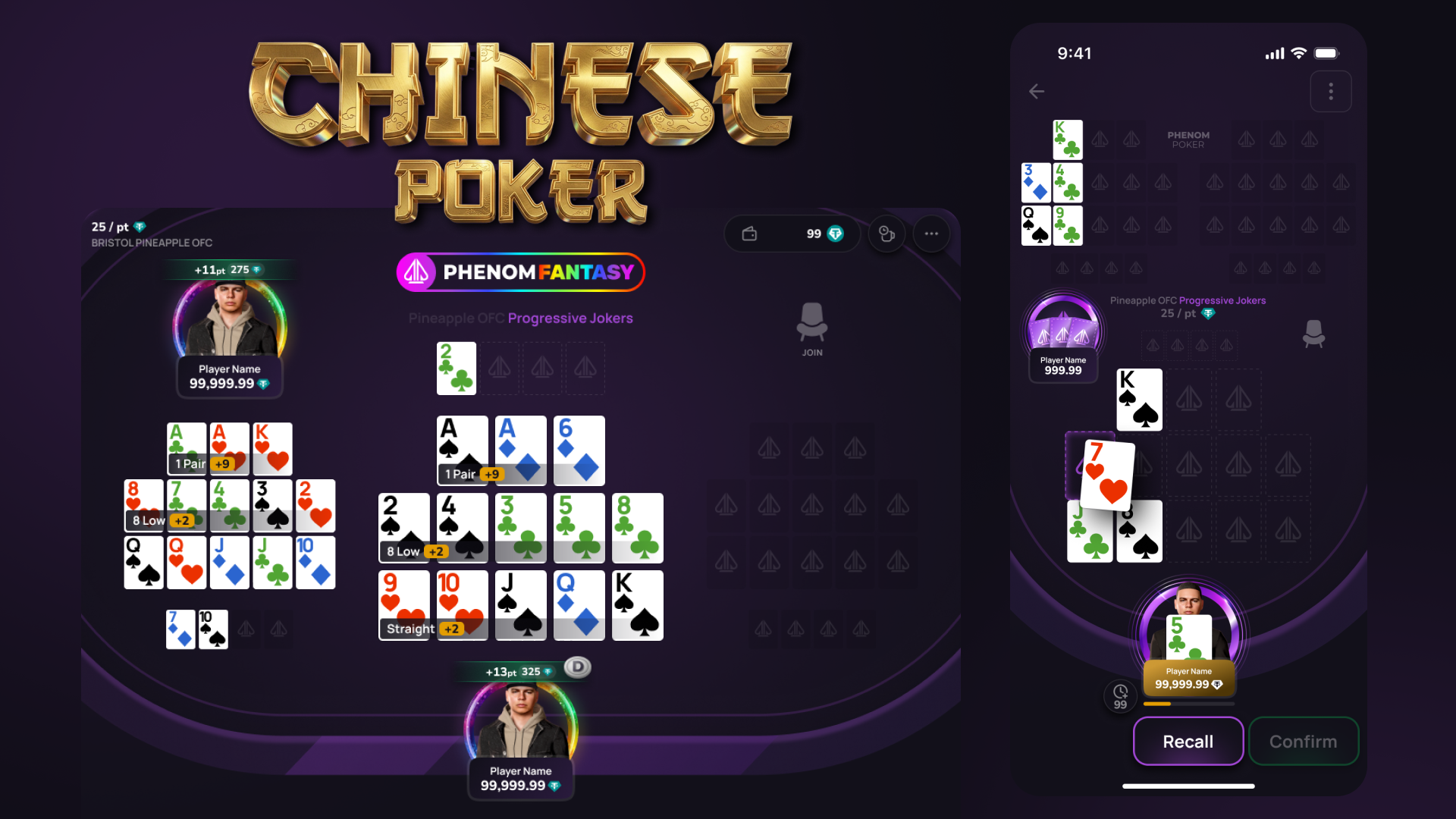
🛰️ Satellites & Tournament Tickets
We’re excited to introduce Satellites — a new way to qualify for tournaments and win your seat for a fraction of the buy-in. Over the coming days we will start to include Satellites into the tournament rotation.
🏆 What Are Satellites?
Satellites are special tournaments where the prizes aren’t cash — they’re:
🎫 Tournament Tickets or 💰 Tournament Money (T$)
Instead of paying full price for a big event, you can win your way in.
🎫 Tournament Tickets
Tournament Tickets are awarded as prizes in select satellites and promotions.
With Tickets you can:
Automatically register for the target tournament when you win
Register manually for eligible tournaments
Unregister (if eligible) before the event starts
If you win a satellite ticket, you’ll be automatically registered for its target tournament — no extra steps needed.
The Tournament Registration modal will first allow you to Register/Re-Enter using a Ticket (if you have one), then T$ (if you have enough) and finally via your regular balance (a per normal).
💰 Tournament Money (T$)
T$ is a flexible tournament-only currency.
You can:
Use T$ to buy into tournaments
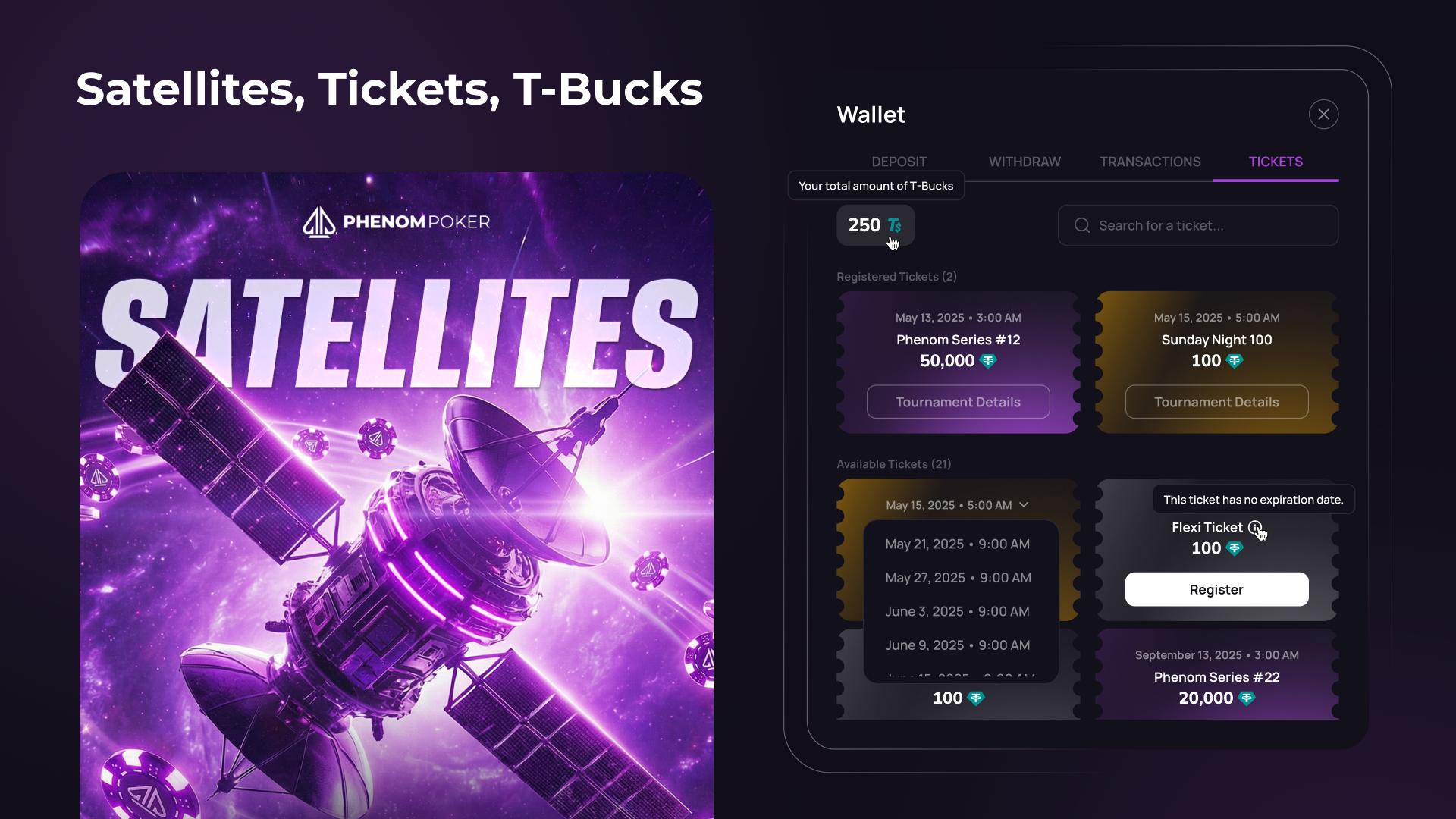
Track your available T$ via the Wallet > Tickets panel
T$ cannot be withdrawn and is valid for tournament entries only.
💼 New: Tickets & T$ Wallet Panel
You’ll now find a new Wallet → Tickets panel where you can:
View all your available Tournament Tickets
See your T$ balance
Register and unregister from tournaments using your tickets
Enter a code word to redeem promotional or competition tickets
This gives you full control over your tournament entries in one place.
📅 Satellite Schedule & Lobby Access
You can find Satellites in two places:
🗓️ A dedicated Satellite Schedule
🏁 The new Satellites Tab inside the Tournament Lobby
Browse upcoming qualification events and plan your path to the big stages.
✨ Improvements
Global Player Muting
You can now mute players more broadly for a more controlled chat experience.
Waitlist Pop-Up Behaviour Update
The waitlist pop-up flow has been improved to feel clearer and more consistent.
Lobby: Filters UX Redesign
We’ve refreshed the lobby filters experience to make finding the games you want easier.
Chat Panel & Tournament Info Panel – UI Alignment Clean up
We’ve cleaned up panel alignment for a more polished table and tournament interface.
Performance Improvements
We’ve optimized Socket.IO event payloads to help improve performance across server and client interactions.
🛠️ Fixes & Bugs
Tournaments
Fixed an issue where tournament prize transactions could fail.
Fixed an issue where the tournament table was missing the dealer button in some cases.
Fixed a final table break issue where breaks could trigger twice if no hand was played before the break started.
Fixed an issue where only the first table was viewable in tournament hand history lists.
Tables & Gameplay
Fixed an issue where players could be unable to join a table from the waitlist.
Fixed cases where players remained stuck in a table contract after leaving.
Fixed an admin issue where some players stuck in a table contract could not be removed.
Fixed a stale action panel issue in Big O after an opponent raised.
Fixed a mobile issue where observing a table and selecting “Leave Table” from settings could return you to the table instead.
Wallet, Payments & Rewards
Fixed an issue where Arbitrum USDC deposits could be credited but not appear in the wallet.
Fixed inflated potential values and incorrect progress shown in the deposit bonus dashboard.
Fixed missing rake and rakeshare values in parts of the referral dashboard.
Fixed incorrect balance display after some USDT transfers.
Client & UI
Fixed streamer links opening incorrectly inside the client.
Fixed missing seat alert sound effects when the lobby was minimized.
Fixed a double scrollbar issue in the Player Notes modal.
✨ Behind the Scenes
We also shipped a range of backend and platform improvements to make the experience more stable and reliable, including:
better tournament hand history infrastructure
improved admin error handling
more accurate bonus calculations
leaderboard query optimizations
better withdrawal error capture
reduced unnecessary avatar API calls
maintenance window UX and guard improvements
📝 Notes
Some changes in this release improve internal systems and platform stability, so while you may not see them directly, they help us deliver a smoother and more reliable experience overall.
20 de marzo de 2026

⭐ Highlights
Mixed Game Tournaments – Fairer Final Tables
We’ve improved how mixed game tournaments play out:Tables now start on a random variant instead of always beginning with the same game.
Final tables dynamically adjust rounds when an extra player is present, then revert once balanced.
This makes gameplay less predictable and more fair, especially at the final table.
Tournament Ranking List – “See Yourself” UX Improvement
Easily locate yourself in the rankings without scrolling through the entire leaderboard.
Your sticky row appears at the bottom of the table when you are not currently visible in line.
Tap your sticky row to jump to the correct page and position where you will be shown in line.
Rebuy Flow Fixes
Rebuy is now much more reliable and frustration-free. You can no longer trigger duplicate rebuys while a transaction is pending
If you rebuy while busted, you’ll automatically be sat back in
Trying to sit back with 0 chips now correctly opens the buy-in flow
Sit-out timers are cancelled once your rebuy is confirmed. This should eliminate missed hands and inconsistent table states.
✨ Improvements
5-Second Delay Reduced from Stud Hands in Mix Games
A short delay has been reduced before each Stud hand to improve pacing and ensure smoother game transitions.Mobile Chat Enhancements
Added Chat icon to the table. Sending a message on mobile automatically closes the chat window. Added a new Sound effect for chat message arrival.
Tournament info page optimization
Reduced background requests when players register or are eliminated, resulting in faster and more stable tournament pages.Reduced Redis Pub/Sub bandwidth usage
Backend optimizations to prevent throttling and improve platform responsiveness.Client update behaviour improved
Tables will now reload between hands when a new version is available, preventing unnecessary refreshes during gameplay. Players will be shown a toast mid hand, warning the player that the table will automatically update at the end of the current hand in progress.Improved system stability with better event loop monitoring.
Reduced tournament polling for smoother performance.
Unified API + WebSocket routing through CloudFront for better reliability.
More robust handling of public lobby table data.
🛠️ Fixes & Bugs
Fixed an issue where players could become stuck in a table contract after buying in or rebuying.
Fixed 8-Game Mix NLHE rounds skipping hands.
Fixed an issue where new players joining a table were incorrectly assigned a missed big blind instead of posting normally.
Fixed incorrect blinds information appearing on the button in mixed games.
Fixed missing tournament sessions in hand histories.
Fixed an issue where players could be skipped from dealing after re-joining a table.
Fixed tournament tables getting stuck in an initializing state.
Fixed desktop environment configuration issues.
Fixed back-office socket access problems.
Fixed rebuy failures that could boot players and cause missed hands
Fixed “Sit out next BB” incorrectly applying in Stud games
Fixed pot size settings resetting incorrectly during play
Fixed tournament re-entry counter disappearing
10 de marzo de 2026

🚀 Highlights
Reduced Rake in Heads-Up play for Fixed Limit games. You can view the new rake chart here: https://www.phenompoker.com/rake
Refreshed the Player Info modal with updated design and new Friend and Mute buttons.
Added a Token Dashboard promo banner for clearer visibility when promos are live.
⭐ Improvements
Fixed several table stability issues, including cases where tables could get stuck initializing.
Reduced disruptive table reloads by deferring refreshes until a new version is available for a smoother experience at the table.
Cleaned up the Rewards Manager summary so pending rewards are clearer and less cluttered.
Updated final table mobile art for a cleaner, more polished tournament finish.
Improved the Tournament Details row visuals for Streamers and Ambassadors.
Polished lobby presentation with updated Socials modal icons, better special icon positioning, and improved column widths.
Updated the player balance component for clearer, more consistent display.
Improved tournament ticket targeting to handle tricky edge cases more reliably.
🛠️ Fixes & Bugs
Stability & performance
Fixed an issue where a table could get stuck on initializing.
Fixed an issue where a desktop table could appear frozen while other tables continued normally.
Tournaments & gameplay
Fixed an issue where a successful tournament payout could be marked as failed.
Fixed an issue where the Spin Up rebuy modal could show the wrong min/max after busting.
Fixed an issue where the final table could be missing the game label on the first hand.
Fixed an issue where the add-on minimum could incorrectly enforce the full buy-in instead of allowing a minimal add-on.
Fixed an issue where a split pot showdown delay could be too long before the next hand.
Fixed an issue where a bust-out / winner modal could show on the wrong table when the tournament window was closed.
Fixed an issue on mobile where Show in BB could use cash-table blinds after switching tables.
UI & visuals
Fixed an issue where Coming Soon was removed from the Chinese category button.
Fixed an issue where the final table top-right light could make avatars look faded.
History, transactions & data
Fixed an issue where Profit/Loss could show an incorrect value in Hand History.
Fixed an issue where players could leave tables but transactions appeared as failed in their transaction history.
Cards & rendering
Fixed a recurring issue where Stud cards could grey out after 4th street.
26 de febrero de 2026
Platform Stability Update
Some players have experienced performance issues recently, and we know how frustrating that can be. Improving your gameplay experience is our top priority.
Over the next few weeks, we’re shifting our focus fully to platform stability and performance. You should see meaningful improvements to gameplay reliability as we strengthen the core experience. This may result in a short delay to new feature releases — but delivering smooth, dependable gameplay comes first.
We’re committed to building the most player-centric site possible. As always, you can reach us anytime in Discord and Telegram — we’re here and listening.
🐞 Bug Fixes
P1 (Critical)
Fixed player login flicker & forced re-login issue
Fixed an issue with tournament re-entry
P2 (High Priority)
Fixed missing mixed game label on first hand
Fixed issues with Tournament dealer button movement
Razz: “No qualifying low” message now displays correctly (only after 5 cards)
Fixed duplicate rebuy charges after stack-off
Fixed tournament payout issue for top prize
Fixed total rake share data discrepancies
Fixed Fixed Limit issue allowing raise on small all-in
Fixed new player SB logic in stud round
Fixed failed “leave table” issue where no transaction was recorded
P3 (Medium Priority)
Fixed pre-action buttons state bug (Mobile)
Fixed Miss SB logic
Fixed issues causing cash table freezing during play
Fixed action labels flashing while opponent action pending
Fixed Sitting Out label countdown timer issue during Tournaments
P4
Fixed Final Table artwork
P5
Fixed Late Reg label issue
18 de febrero de 2026
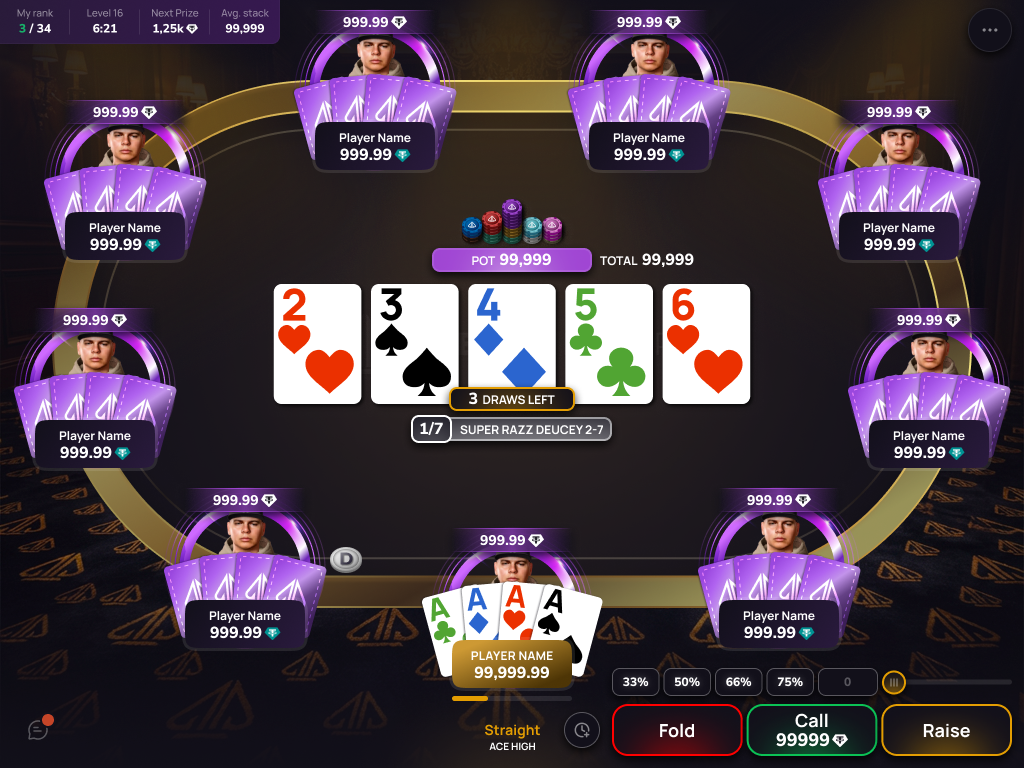
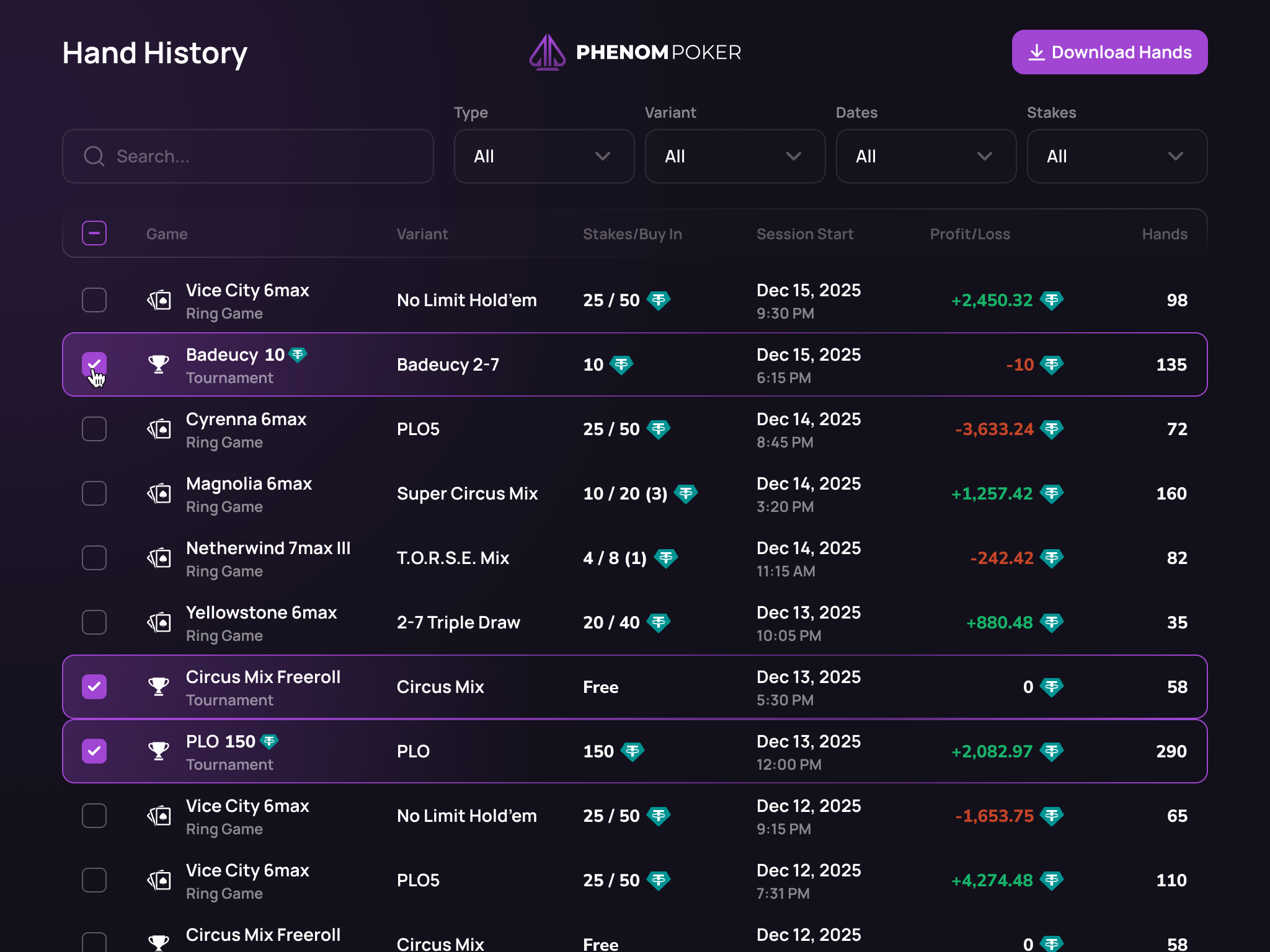
🖖🏼 Hand History – New Design & Download Support
We’ve upgraded the Hand History experience with a redesigned lobby, improved navigation, and full session download support.
Reviewing and sharing your hands is now faster and more intuitive than ever.
Note: Due to a change in how we store hands, only hands player from this point onward will be Downloadable - previous hands played are not currently downloadable.
📂 New: Hand History Lobby Page
There’s now a dedicated Hand History lobby page where you can:
View a list of all your past hand history sessions
Sort sessions by key details
Search to quickly find what you’re looking for
Select one or multiple sessions
Download full session data
This gives you a clean, structured overview of your play history — with powerful filtering and export tools built in.
Clicking any session row will open the Hand History Replayer, allowing you to review every hand from that session in detail.
⚙️ New Replayer Menu (Top Right)
Inside the replayer, you’ll now find a new menu in the top-right corner with additional tools:
📑 Session Hand List Flyout
View and quickly navigate between all hands in the current session.⬇️ Download Session
Download all hands from the active session.🆔 Copy Hand ID
Quickly copy the unique Hand ID to your clipboard.
🏆Tournaments
Tournaments – Final Table Artwork
Added dedicated Final Table artwork to elevate the tournament endgame experience and visual polish.
Tournament Alias Highlighting – Ambassadors and Streamers
Ambassadors and streamers now receive special alias highlighting in tournaments for improved visibility and brand presence.
🚀 Minor Features
Auto Bring-In Setting for Stud Variants
Introduced an automatic bring-in option for Stud variants, streamlining gameplay flow and reducing manual action delays at the start of betting rounds.
Spin Up – Add Icon to Lobby Filters
Spin Up tables now include a dedicated icon within lobby filters for clearer discovery and improved visual categorization
Sitting Out Countdown Synchronization
Improved synchronization of sitting-out countdown timers to ensure consistent timing across all players at the table.
UI Polish & Visual Consistency Improvements
Multiple UI refinements across the platform to improve alignment, spacing, and overall visual consistency.
Chat – Emoji Picker Sends Emoji Immediately on Click
Emoji picker now sends the selected emoji instantly upon click, reducing friction in table chat interactions.
🛠️ Fixes & Bugs
Tournaments
Resolved a balancing issue during Hand-for-Hand play in 5 Card PLO MTTs.
Fixed a bug causing the overlay to flash after every hand once the final table was formed.
Resolved an issue preventing tournaments from correctly merging into the final table.
Resolved an issue where special icons failed to display on recurring tournaments.
Restored the winner announcement overlay and automatic close countdown at final table completion.
Fixed an issue on mobile where navigating from an MTT table back to the lobby caused multi-table navigation to become unresponsive.
Resolved multiple stability issues on mobile affecting navigation, socket connections, and missing action buttons in the mobile PWA experience.
Other
Fixed an issue where the dealer button could become stuck when both blinds selected “Sit Out Next Hand.”
Resolved issues with hotkey settings not applying correctly and incorrect Enter key mapping.
Fixed a bug where the mobile app UI would disappear after backgrounding and reopening the app.
Corrected filter toggle persistence on mobile.
Resolved a bug where the auto-sort toggle was not respected in draw variants.
Corrected qualification progress calculations to reflect appropriate rake values.
Fixed an issue causing unnecessary action alerts when players had already selected preaction options.
Updated the sound effect for the “Complete” action in Stud variants.
Fixed incorrect display of 0 tether on double board games.
Corrected modal behavior so Enter submits instead of closing the withdrawal form.
7 de febrero de 2026

🔥PHNM Staking Dashboard is Live!
You can now access the PHNM Dashboard to Stake, Swap and Claim Your Rewards.
Stake your PHNM tokens to earn rewards and unlock benefits
Swap PHNM for USDC on Base
Claim your weekly Rakeback rewards.
Access the Token Dashboard from the Lobby > User Panel Side Bar or by clicking here - token.phenompoker.com
Full details on the token launch can be found here -
https://www.phenompoker.com/blog/phnm-day-is-here
Read more information about the Phenom Token and Staking here - https://www.phenompoker.com/phenom-token
🚀Boosted Rakeback Rewards
Stake $PHNM to skyrocket your Rakeback percentage. More staked means more earned.
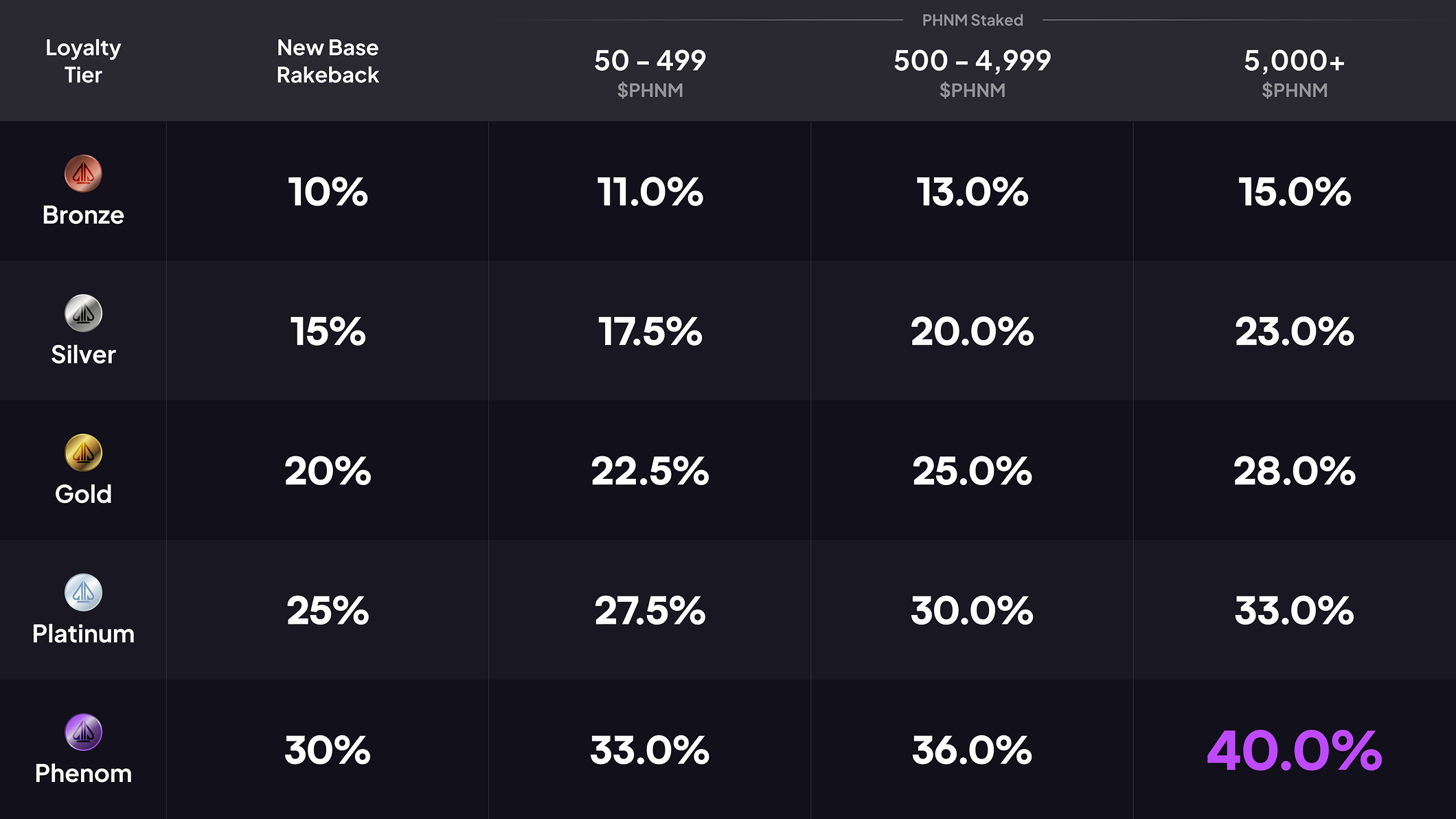
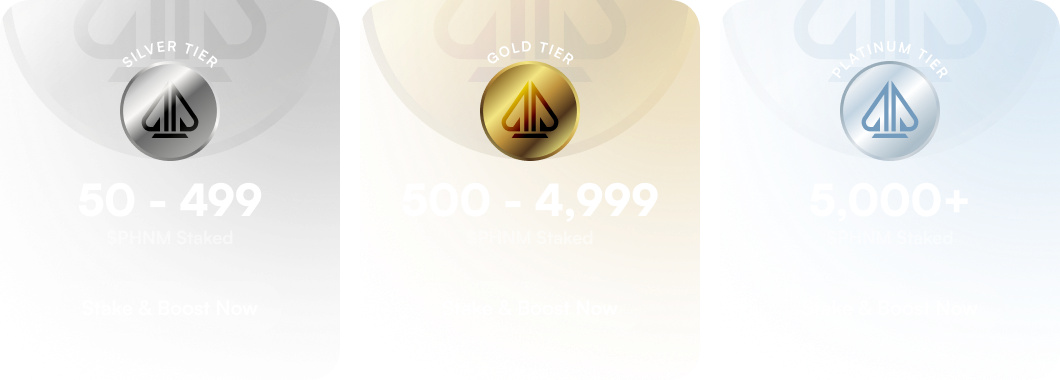
⭐Tier Warping
You can still grind your way up the status tiers to earn more rakeback (no requirement to buy $PHNM). But now you also have a new path to jump into new tier immediately by staking $PHNM.
3 de febrero de 2026

🚀New Era of Phenom Changes
We’re actively transitioning into a new era of Phenom. As part of this effort, we’re Adding, Updating and Removing several features across our Website and the Phenom Poker app. This is an ongoing process, and we’re working as quickly as possible to make these improvements.
Rank Tiers - Get your weekly rakeback in USDT. Want more? Buy and stake $PHNM to unlock Revenue Share and instantly level up your Rank Tier.
Boosted Rakeback Rewards - Stake $PHNM to skyrocket your Rakeback percentage. More stake means more earned.
Tier Warping - You can still grind your way up the status tiers to earn more rakeback, with no requirement to buy $PHNM. But now, you also have a new way to jump into a higher tier immediately by staking $PHNM.
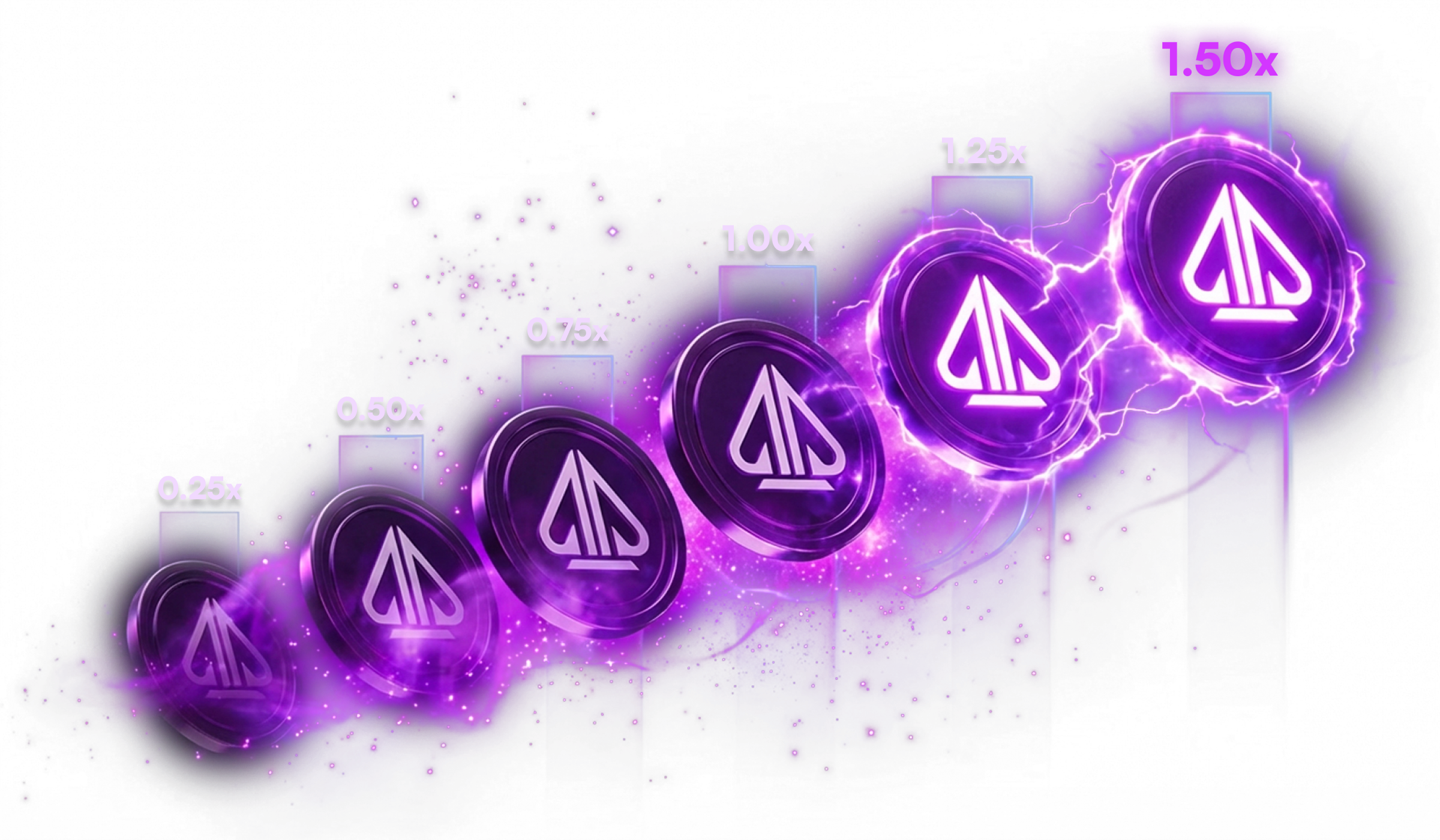
$PHNM Staking - You have a choice of two paths.
The Escalator — stay flexible with no lock-ups. Start at a 0.25× multiplier and climb all the way to 1.50× over 24 months of continuous staking.
The Hard Lock — lock in your commitment and unlock instant rewards. Choose your term and get a 1.50× multiplier immediately with a 24-
Removed Rewards Manager > Redeem tab.
Removed Current PHNM Price from Lobby and Rewards Manager > Summary tab.
🎯All In Equities
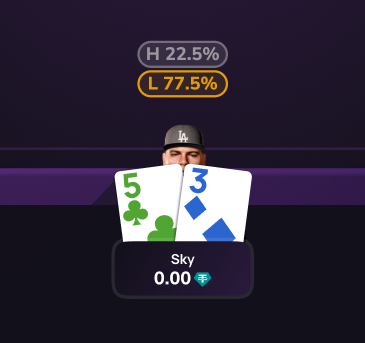
We’ve added each player’s equity percentage (their chance of winning the pot) whenever one or more players are all-in. This gives players real-time insight into their winning probabilities.
When Running It Twice or Running It Three Times, the equity percentages cycle to reflect each board being run.
In Split Pot and High/Low games, equity percentages are shown separately for both the High and Low outcomes.
🎵New SFX & Volume Controls
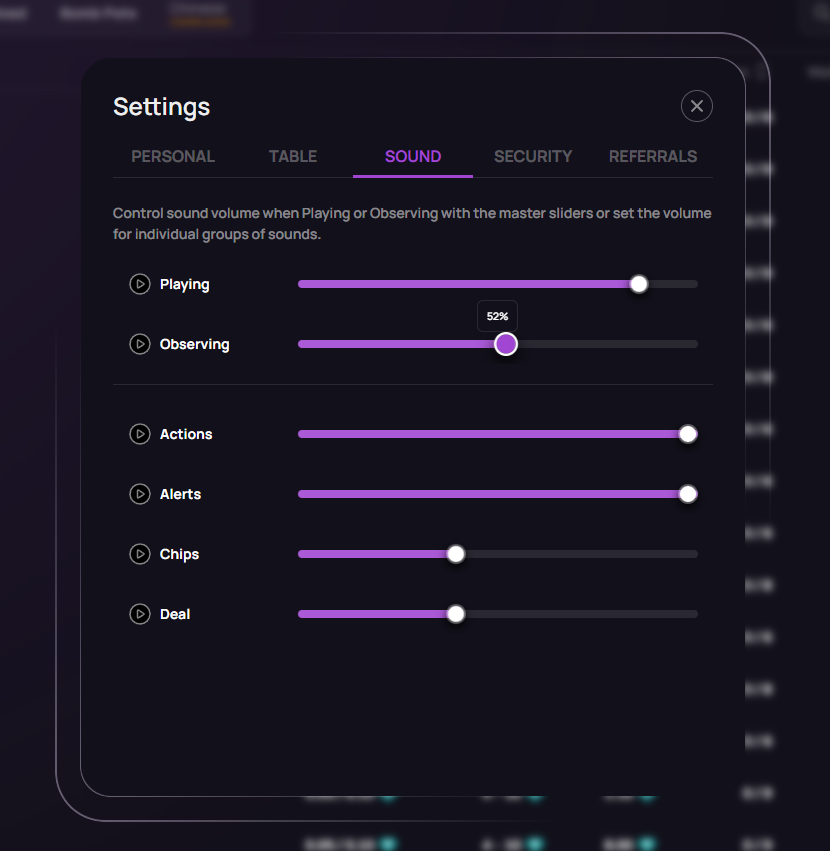
We’ve added separate Playing and Observing master volume sliders, allowing you to control sound levels depending on whether you’re actively playing or observing a game.
We’ve also added individual volume sliders for Actions, Alerts, Chips, and Deal sound groups, giving you more precise control over specific sound effects.
Finally, we’ve updated our core suite of sound effects for an improved overall audio experience.
🔥Table Chat & Emoji Updates
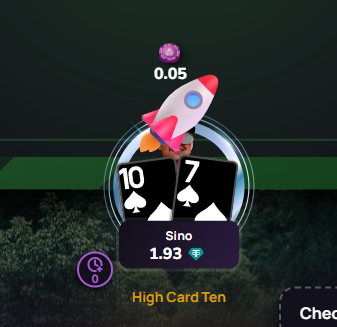
We’ve added a clickable Emoji icon to the chat input, opening an Emoji Picker for quick and easy emoji selection.
Sending 1, 2, or 3 emojis by themselves will now display an enlarged emoji instead of a standard chat bubble.
Clicking another player’s alias in chat now opens the action menu, replacing the need to use the triple-dot menu.
Ambassador and Streaming Live badges are now displayed.
Reward Tier badges are now displayed when Enable Tier Frame is turned on.
💰Buy-In Modal Updates
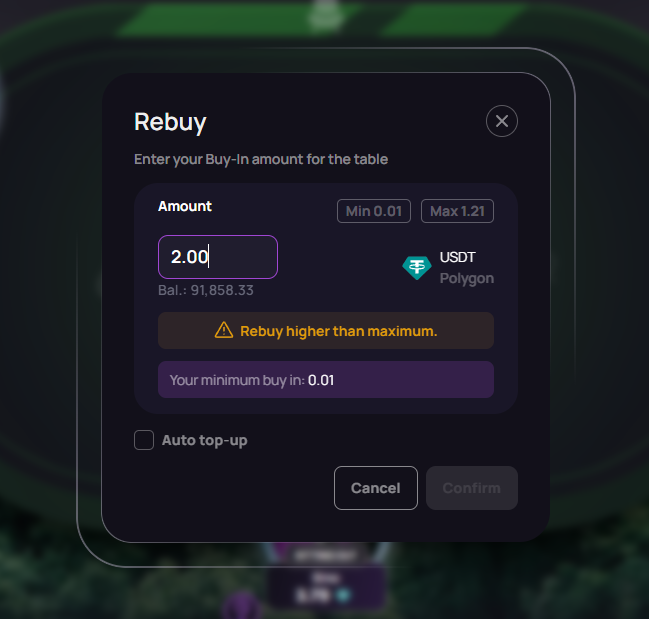
We’ve improved minimum and maximum value handling for Buy-Ins and Rebuys, ensuring inputs are validated more reliably.
We’ve unified orange warnings and red alerts into a single, consistent messaging component.
Clear warning and error messages are now shown when input values fall outside the required minimum or maximum limits.
🛠️Minor Improvements & Changes
Swapped Buy-In and Prize Pool values on the Tournament Registration Modal.
“My Tournaments” section always displays Registering, Late Registration or Running tournaments, irrespective of your filter settings.
Tournaments Lobby, Column sorting removed from all columns.
Build # moved away from action button area.
Average Pot calculation based on a rolling average of the last 40 hands.
Scroll Wheel Bet increments in small blinds.
Clubs Coming Soon label has been removed - We are still planning this feature!
🐞Bug Fixes
Fixed Sit and Go sorting to correctly order by highest player entries first
Fixed “Sit Out All BB” to work while multi-tabling
Fixed Average Pot resetting when the table becomes inactive.
Fixed Sorting and Searching on the Friends Page.
Fixed Referral Rake tooltip in the Referral dashboard to use the correct week boundary dates.
Fixed wrapping of long toast titles and descriptions
Fixed jitter in Wallet > Deposit modal
12 de diciembre de 2025
🚀 New & Upgraded Features
Reveal Folded Cards – Showdown Feature
You can now optionally reveal your folded cards at showdown!
When you are no longer active in the hand you can click any card in your hand to set it to be revealed during showdown. You can click again to unset cards if you change your mind.
The cards you’ve set to reveal (or are revealing if showdown is active) are shown at the bottom right of the table (bottom on mobile). You can also click these cards to unset and revealing them.
Cards can also be set/unset during showdown!

Spin Up Tables
We’re creating a new range of table options called Spin Up tables. These have low Buy-In ranging from 3BB to 10BB to allow for more affordable gameplay with less stack risk. Keep an eye out for the Spin Up tornado special Icon!
NLH/PLO/PLO5 Stakes: 0.25/0.50 - 5/10

Table Join Status Labels
Clear visual labels now show players exactly where they stand when joining a table.
“Reserving” - Shown when players have a Waitlist Modal showing.
“Joining” - Shown when players have a Buy In Modal showing.
“Adding Chips” - Shown when players have Confirmed to Buy In or Rebuy.
🛠️ Fixes & Polish
Mobile Tournament Lobby – Multi-Table Widgets
The Mobile tournament lobby now support widgets that display all active tables in multi-table events.
Desktop Table Layout Tweaks
Increased Table size, Refined spacing, alignment, and UI balance to make desktop tables feel cleaner and more readable.
Card Style Improvements
Micro-size card design has improved with increased clarity on rank/suit.
We’ve also slightly tweaked the layout positioning of card rank and the small suit icon.
Faster Leaderboard Meter Animation
Reduced animation count up time to 3s and adjusted easing curves for a snappier, more responsive leaderboard experience.
🔧 Infrastructure & Stability
Global App Versioning & Update Reliability
A new foundation for synchronized versioning across all app surfaces.
Improves deployment safety, reduces mismatched-client issues, and makes future rollouts more predictable.
Groundwork for Safer Future Deploys
Additional behind-the-scenes stability upgrades, monitoring improvements, and QA-friendly hooks that will support upcoming major features.
26 de noviembre de 2025
🏃🏼♂️➡️🏃🏼♂️➡️Run It Twice (RIT)
Players can now choose to Run It Twice or Run It Three Times when all-in, offering more ways to reduce variance.

We’ve added a toggle where you can choose how you want to automatically Run It
"Automatically Run It Multiple Times" is OFF by default.
To turn ON - Go to Settings > Tables > Toggle “Automatically Run It Multiple Times" ON
Then select "Never", "Twice", or "Three Times"

We’ve put together a blog post explaining in more detail how you can Run It! https://www.phenompoker.com/blog/run-it-twice-is-live-on-phenom-take-control-of-your-game
🛠️ Fixes & Bugs
SB/BB Issues During Tournament Play
Issue resolved when a player is seated in between the current SB/BB, forcing the current BB to take the BB twice.Mobile Stake Values Displaying Incorrectly
Issue resolved where stakes values shown on the table did not have the correct value for PLO Mix, PLO Fusion and Big Bet Mix
21 de noviembre de 2025

🏆 Tournaments
Tournament Rake Reduction: We reducing the rake on high Buy-In tourneys!
100 - 499 USDT, reduced from 7% to 5.5%
500+ USDT, reduced from 7% to 4%💣 Bomb Pot Thursdays - New Weekly Special Tournament
8pm GMT / PLO5 Variant / 150 Buy-In / 3,000 GTD
🚀 Features
Prevent Folding When No Action Has Occurred
Players can no longer accidentally fold when no action is required.
🛠️ Fixes & Bugs
Final Table Splitting After Break Causes Tables to Freeze
Issue resolved where tables became unresponsive after a break-time table split.Hide “Adding Chips” Label When Manually Rebuying During An Active Hand
The visual indicator no longer appears mid-hand.Action Buttons Disappear When Clicking Various Actions
Buttons now remain stable and visible after interacting with any action.